BP Sync

Your Bluetooth blood pressure monitor, now in Apple Health.

BP Sync reads the monitor you already own and saves every reading to Apple Health, then shows where each one falls and turns them into a report for your doctor.

Coming soon to the App Store
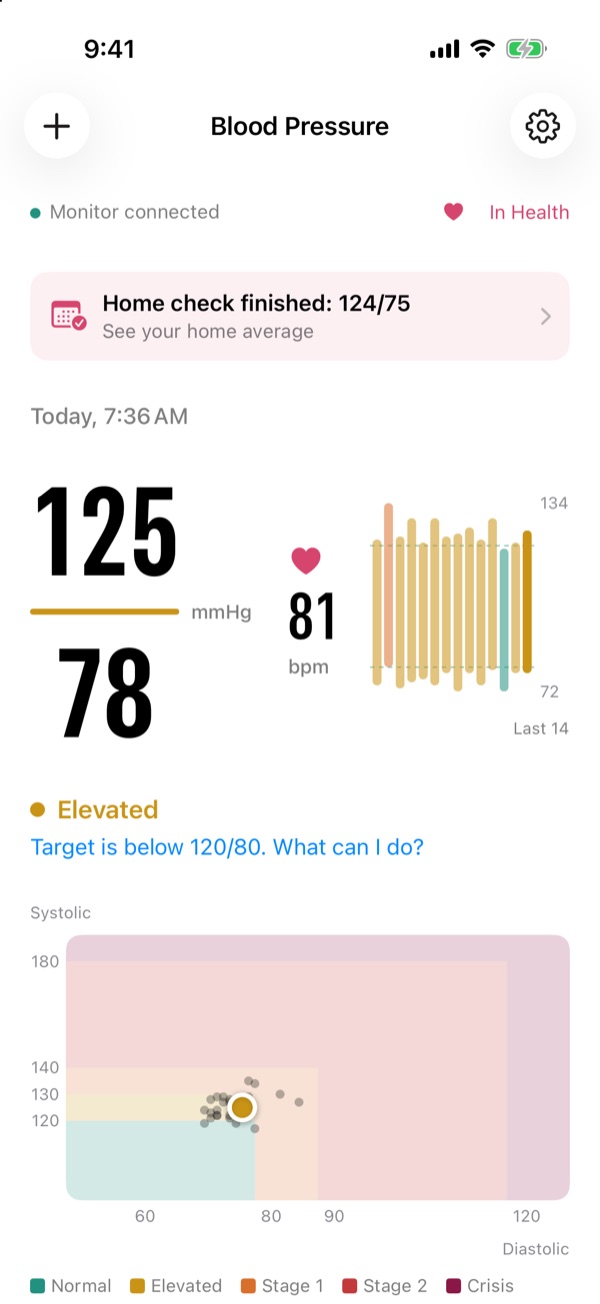
BP Sync showing a reading of 125 over 78, pulse 81, marked Elevated

Press Start. That's the whole routine.

BP Sync connects the moment your monitor wakes. As the cuff inflates you see the pressure rise on your iPhone, then the reading arrives: systolic, diastolic, pulse and any irregular heartbeat warning.

Readings stored on the monitor while your iPhone was away come across next time.
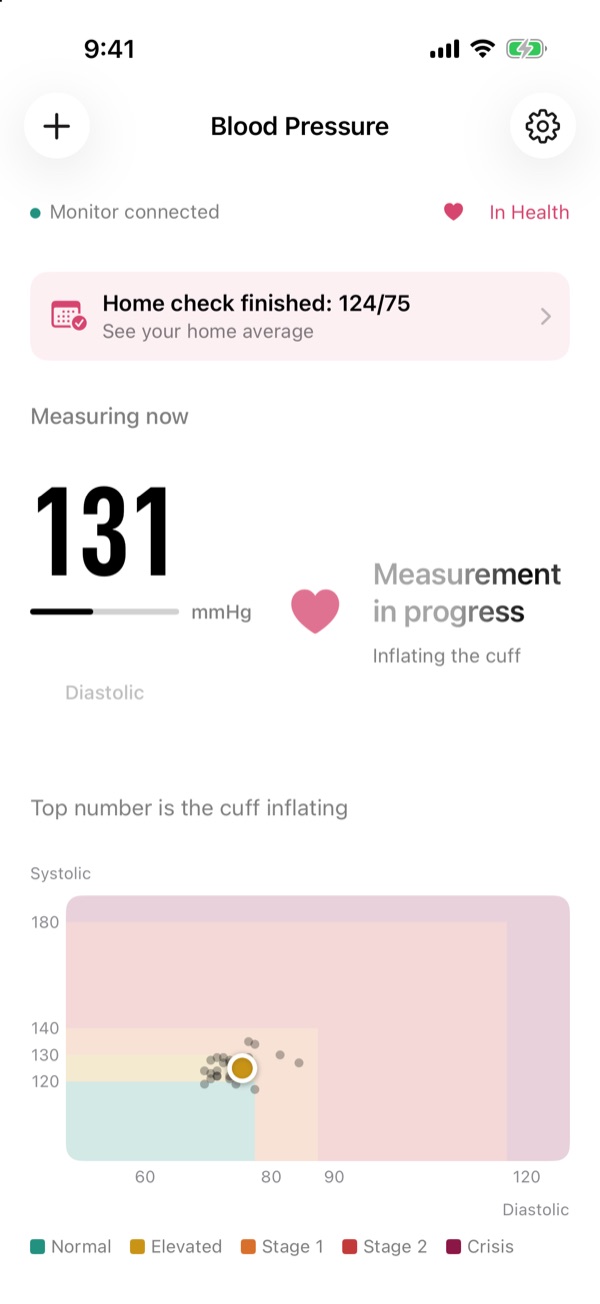
BP Sync while measuring: cuff pressure 131 and a message, Measurement in progress

See where every reading falls.

Each reading lands on the American Heart Association chart, from Normal to Stage 2, so a number means something at a glance.

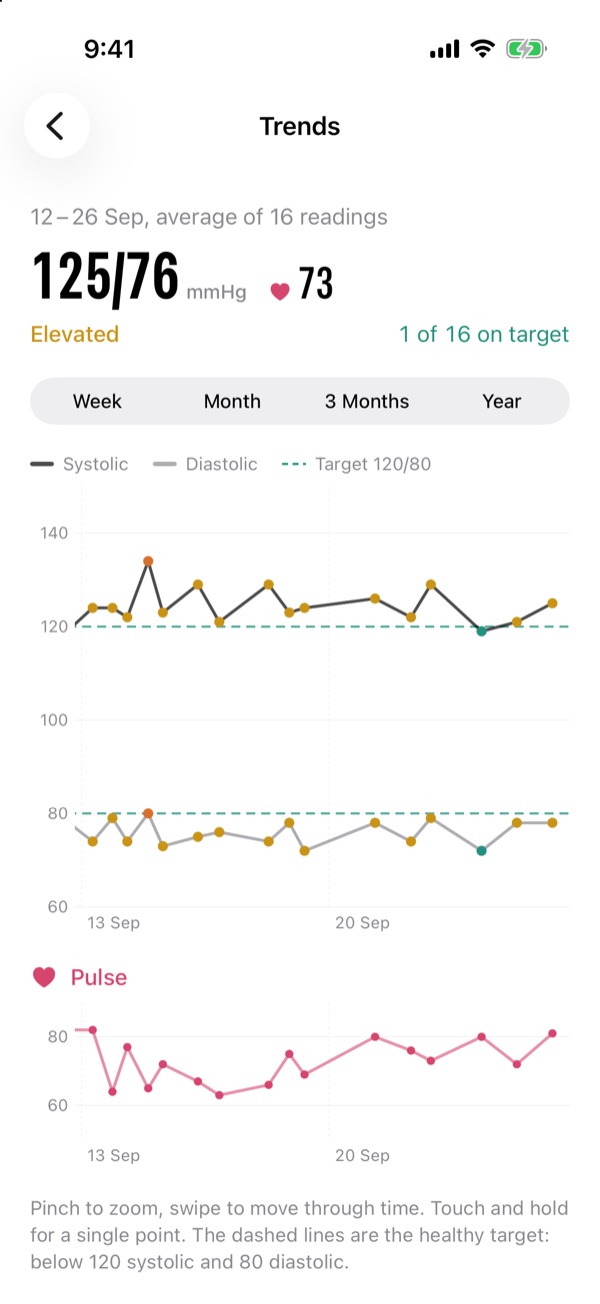
Trends run from a week to a year. Pinch to zoom, and the dashed lines show the healthy target of 120/80.

  • Normal
  • Elevated
  • Stage 1
  • Stage 2
  • Crisis
Trends: two weeks of readings averaging 125 over 76, with target lines at 120 and 80

Ready for your doctor.

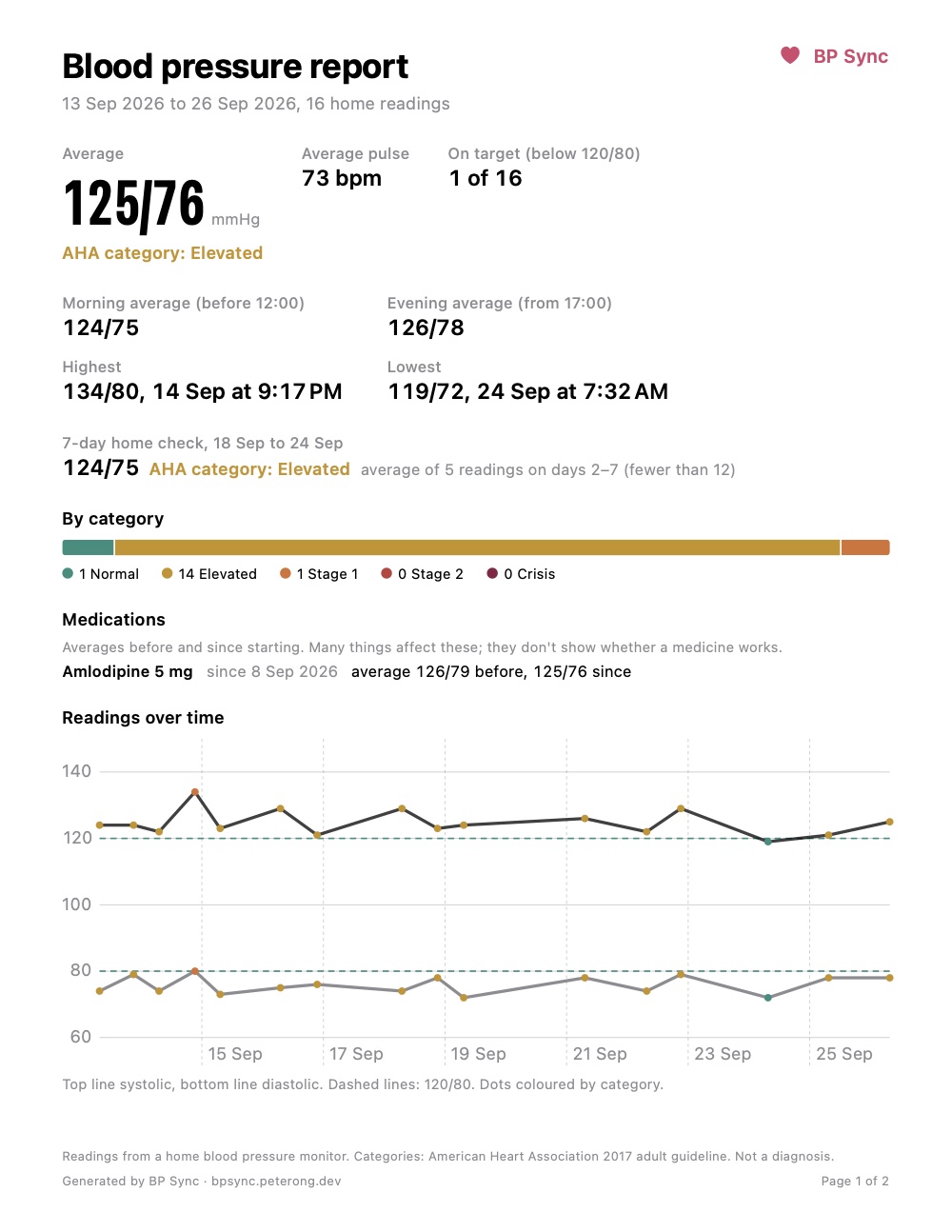
A PDF with your averages, morning and evening, highest and lowest, and a chart of every reading. Share it before an appointment or print it.

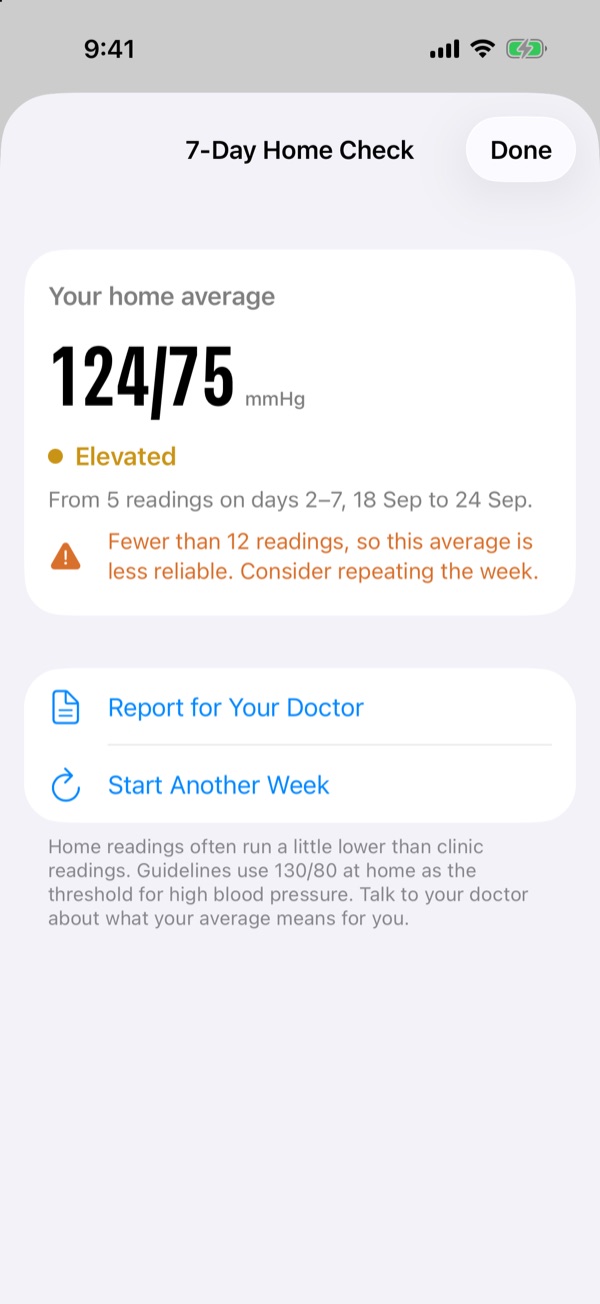
The 7-day home check guides you through two readings a minute apart, morning and evening, with a countdown. Add your medications to compare your average before and after a change.

View a sample report (PDF)

Included in BP Sync Pro

Sample blood pressure report: average 125 over 76, morning and evening averages, and a chart of readings

Yours, and no one else's.

No account, no ads, no tracking. Your readings stay on your iPhone and in Apple Health. The developer never sees them.
Read the privacy policy

7-day home check result: home average 124 over 75

Will it work with my monitor?

Which monitors work with BP Sync?

Bluetooth monitors that use the standard Bluetooth blood pressure format, including many from Yuwell, A&D, Beurer, Microlife and Omron. BP Sync searches for yours and tells you whether it works before you rely on it. It has been tested with the Yuwell BP-YE670D.

Why aren't all Bluetooth monitors supported?

Bluetooth has a published standard for sending blood pressure readings, and any app can read a monitor that uses it. That's what BP Sync reads.

Some makers use their own private format instead, which only their app can read. Often the readings go through their account and servers first. BP Sync doesn't try to decode these formats: they aren't documented, they can change with any update, and a blood pressure app can't risk showing a wrong number.

How can I tell if my monitor uses the standard?

The quickest way is to try it. Open BP Sync, go to Settings › Monitors, tap Search for Monitors and take a reading. The app tells you whether your monitor works.

If you're choosing a new monitor, look for "Bluetooth Blood Pressure Profile" in its specifications. A monitor that only works after you sign in to its maker's app often uses a private format.

My monitor isn't supported. What can I do?

Many makers' own apps can save to Apple Health: turn it on in the Withings, iHealth MyVitals, Qardio or OMRON connect app. You can also add readings to BP Sync by hand.

If you think your monitor should work, tell us the model and send the Bluetooth log from Settings › Help.

Free to sync. Pro when you want more.

Saving to Apple Health, your history and the category chart are free. BP Sync Pro adds the report for your doctor, the 7-day home check, medications, trends beyond a month, reminders, Home Screen widgets and more than one monitor. Buy it once, or subscribe yearly with a week's free trial.

BP Sync isn't a medical device and doesn't diagnose. Talk to your doctor about your readings.